SIM-ON6 min read
More Control, Less Visual Noise: Smarter Asset Management in SIM-ON
SIM-ON gives facility teams more control over how assets are categorized, visually identified, and filtered directly within the 3D environment, helping users find relevant equipment faster without losing spatial context.
Managing assets inside a digital twin becomes more challenging as the amount of information grows. A small facility may contain dozens of important devices, while a large commercial building, industrial site, data center, hospital, or campus can contain hundreds or thousands of assets distributed across many rooms, floors, and technical zones.
HVAC equipment, pumps, sensors, electrical infrastructure, access control, racks, cooling systems, and safety equipment may all need to be represented in the same digital environment. The information itself is valuable, but displaying everything at the same time can quickly make the 3D view harder to use rather than easier.
The latest improvements to Asset Management in SIM-ON focus on a simple idea: give users more control over how assets are organized, identified, and found inside the 3D environment. Rather than treating the update as a collection of new icons or interface changes, it is better understood as a broader improvement in how teams work with operational information spatially.
Asset management should reflect the way your organization works
Different organizations classify equipment in different ways, and even teams within the same organization may need to look at the same facility through different operational lenses. A facility management team may organize assets according to maintenance responsibilities, while an engineering team may prefer technical systems, and a data center operator may separate cooling, power, racks, network infrastructure, and security equipment.
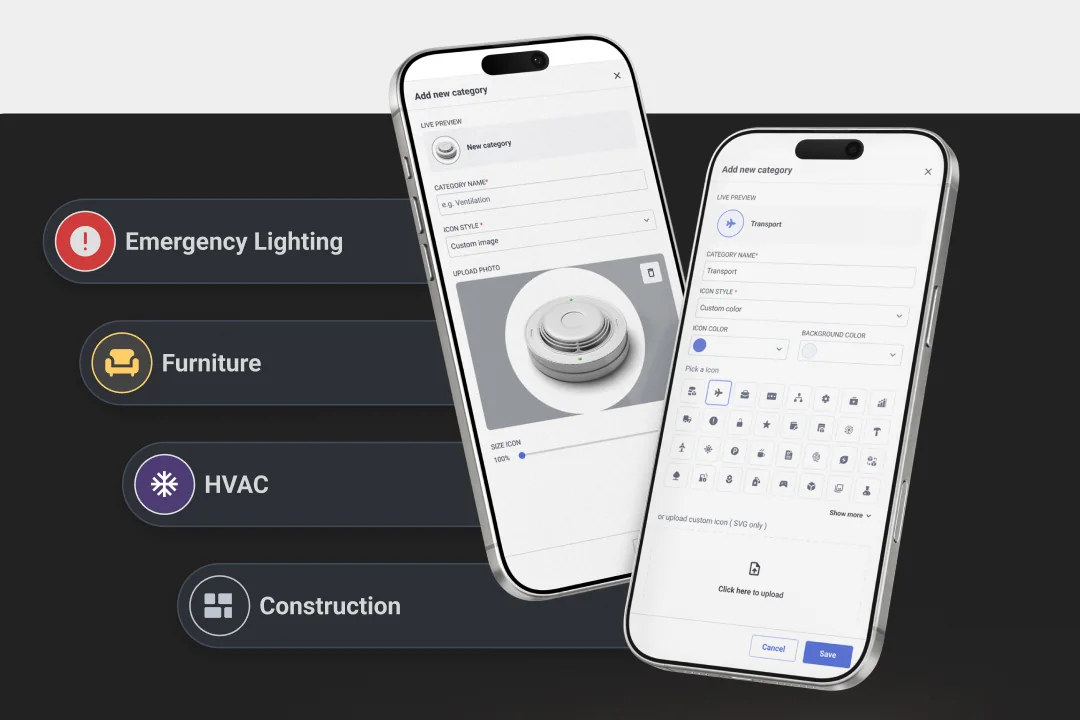
A rigid category structure forces users to translate their own terminology into the logic of the software. SIM-ON takes the opposite approach by allowing users to create custom asset categories and name them according to the terminology already used across their facility and organization.
This makes the digital twin easier to align with the real operating model of the building. Instead of asking teams to learn an artificial taxonomy, the system can reflect the language they already use when planning work, assigning responsibilities, reviewing equipment, or communicating with contractors.
Visual identification goes beyond standard icons
The category itself is only one part of asset identification. When many assets are visible across a complex facility, the ability to distinguish between them quickly becomes just as important as the underlying classification.
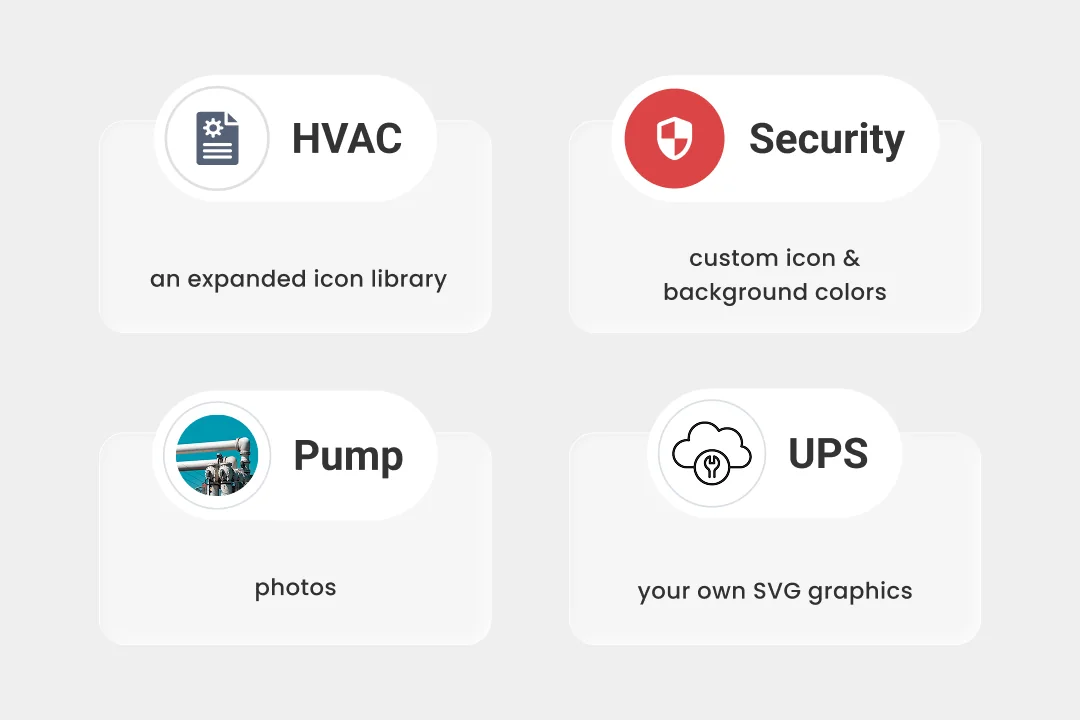
SIM-ON therefore provides more flexibility in how asset categories are represented visually. Users can work with an expanded library of ready-made icons, upload their own SVG graphics, use a photograph instead of a standard symbol, and customize both the icon color and its background color.
The purpose is not cosmetic customization for its own sake. It is faster recognition. An HVAC technician should be able to identify relevant equipment quickly, while a team responsible for electrical infrastructure should be able to distinguish UPS units or switchgear without opening every marker individually.
A consistent visual language can reduce the amount of interpretation required while navigating a facility. On large sites, where many different asset types may appear in the same technical room or operational area, that difference becomes especially valuable.
Filter assets without leaving the 3D environment
One of the most important improvements is the ability to filter asset information directly within the 3D environment. This addresses a common problem in complex digital environments: visual noise.
More data does not automatically create more clarity. Imagine a large technical facility containing hundreds of devices. A technician working on cooling infrastructure does not necessarily need to see access control devices, electrical equipment, safety assets, sensors, and every other category at the same time.
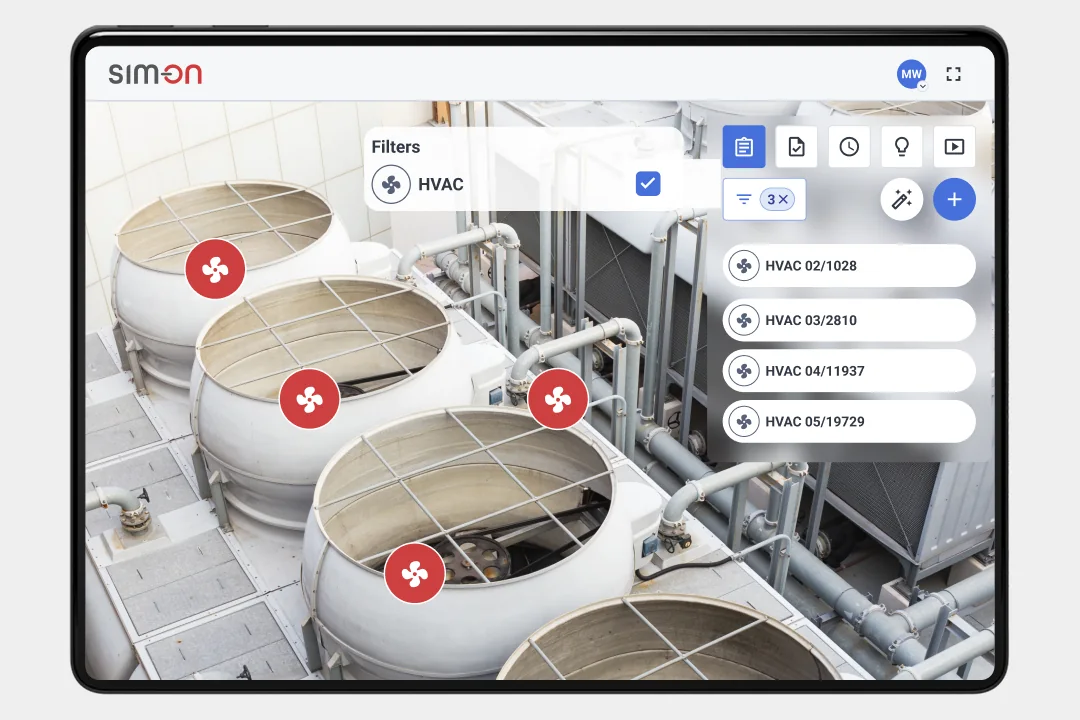
The information is useful, but it is not equally relevant to every task. With category filtering available directly from the spatial environment, users can narrow the view to the assets related to what they are doing without leaving the building context.
An HVAC technician can focus on HVAC equipment. A power specialist can concentrate on UPS systems and switchgear. A Facility Manager can keep a broader view when required. The same digital twin becomes more useful to different roles because each user can reduce the amount of information competing for attention.
This is important from a workflow perspective. The user does not need to move away from the 3D view simply to decide which information should be visible. The building remains the main point of reference, while the information layer adapts to the task.
A clearer 3D experience
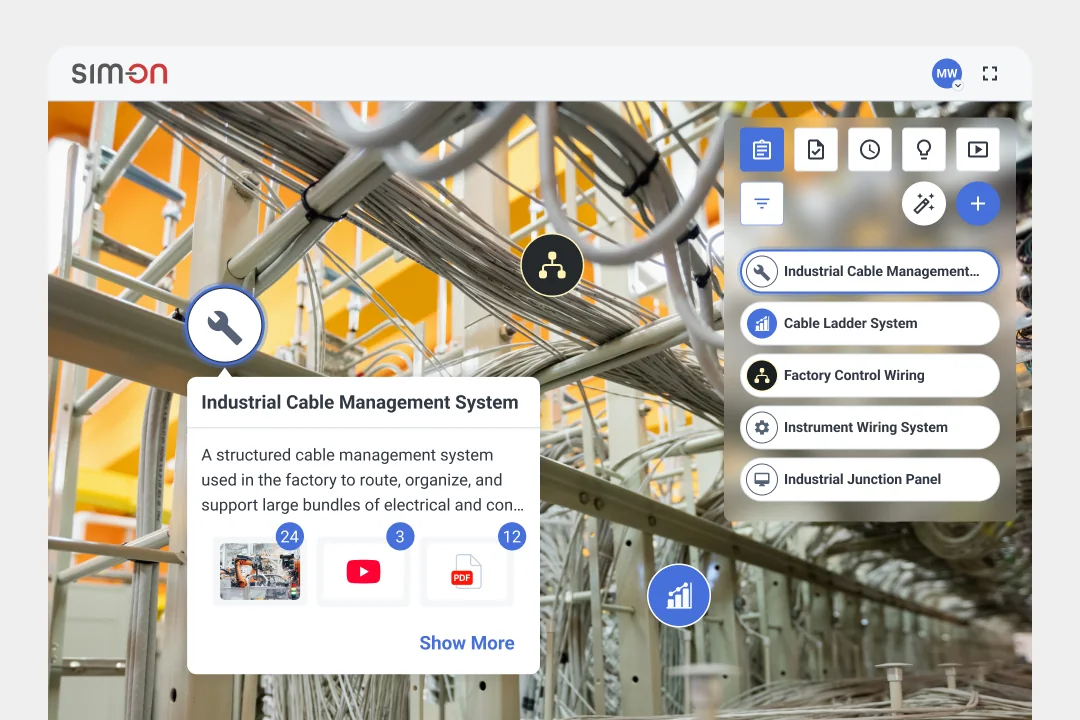
Asset filtering is supported by improvements to the wider 3D user experience. The refreshed interface is designed to make information easier to read while users move through a building or facility, especially in scenes where the background itself is visually complex.
UI elements are more clearly separated from the underlying 3D model or captured environment, helping reduce the number of elements competing for attention. This is particularly useful when a user is navigating a technical space, selecting assets, and reading information at the same time.
The objective is not to redesign the interface for the sake of presenting something new. The goal is to make the transition between understanding the physical space and accessing digital information about an asset feel more natural and less distracting.
A better spatial interface should help users maintain orientation while moving from the environment to the information layer and back again. In practice, that means being able to find an asset, inspect the relevant details, and continue working without unnecessary visual interruption.
From a point in 3D to a digital asset record
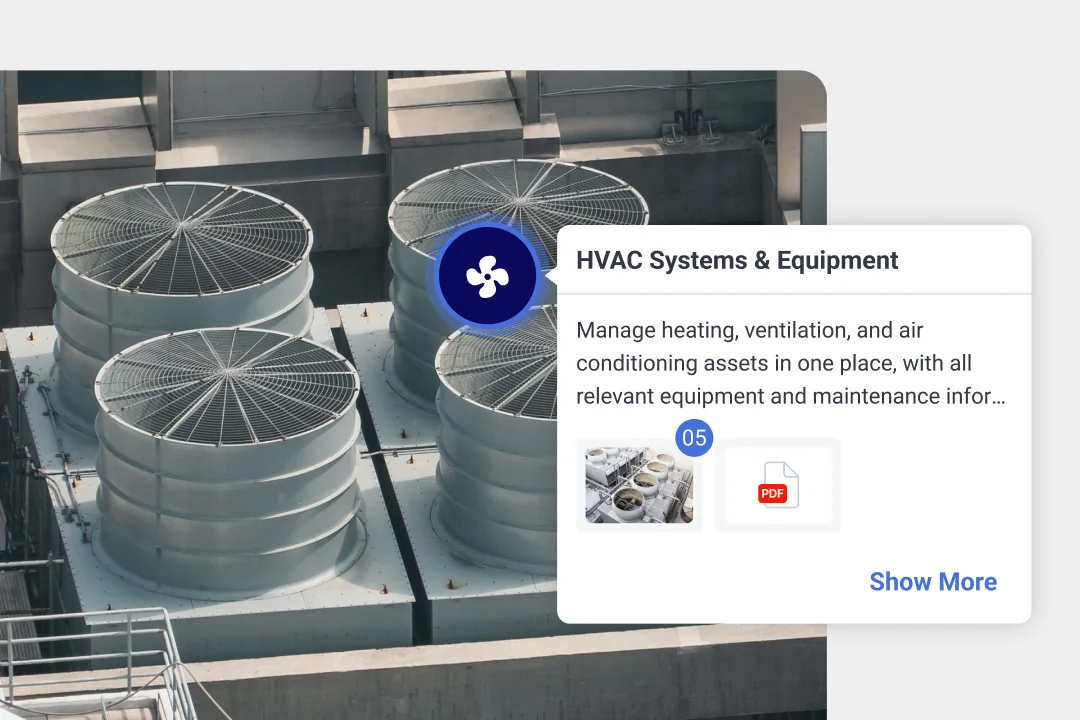
The new customization and filtering capabilities also fit into a broader Asset Management workflow already available in SIM-ON. An asset can be associated with its actual position in the 3D environment and supported by additional information about the real-world device.
That information can include technical details such as Brand, Model, and Serial Number. SIM-ON can also store purchase and warranty information, including Purchase Price, Current Value, Purchase Date, and Warranty End Date.
These fields are not part of the new release itself, so they should not be presented as newly introduced functionality. They are useful here because they show the larger purpose of Asset Management in SIM-ON: connecting the spatial location of an object with the digital record that describes it.
An asset in SIM-ON is therefore more than a marker placed inside a 3D model. It can act as a digital record connected to the physical location of the real device, making the 3D environment a practical starting point for accessing information about that asset.
The workflow can be understood as a simple sequence:
3D location → asset identification → technical information → purchase and warranty information → operational activity.
Instead of asking where a device is and then searching for its information elsewhere, the spatial environment helps connect the two. This is especially valuable when multiple teams need to work with the same asset but approach it from different operational perspectives.
Why this matters for complex facilities
As facilities become more digitally documented, the challenge increasingly shifts from collecting information to making that information usable. Large volumes of asset data can become another source of complexity if users cannot quickly separate what matters from what does not.
The latest Asset Management improvements in SIM-ON address that challenge in three connected ways. First, personalization allows teams to adapt the asset structure and visual language to their own facility, terminology, and processes. Second, clearer visual identification helps users distinguish between different types of equipment more quickly. Third, filtering in 3D allows users to focus on the information relevant to the task without leaving the spatial environment.
Together, these improvements make the digital twin more than a place where assets are simply displayed. They make it a more practical environment for finding, understanding, and working with those assets in the context of the real facility.
A digital twin should help you focus
The value of a digital twin is not measured by how much information can be placed on screen at once. Its value comes from helping the right person access the right information in the right context, without turning the interface itself into another source of complexity.
With more flexible asset categories, stronger visual identification, direct filtering inside 3D, and a clearer spatial interface, SIM-ON gives users greater control over how they interact with complex asset environments. The result is less visual noise, more relevant context, and a faster path from the physical space to the information behind every asset.