
Asset and facility management in spatial context
Help teams locate, understand, document, and manage building assets through a connected digital twin environment.
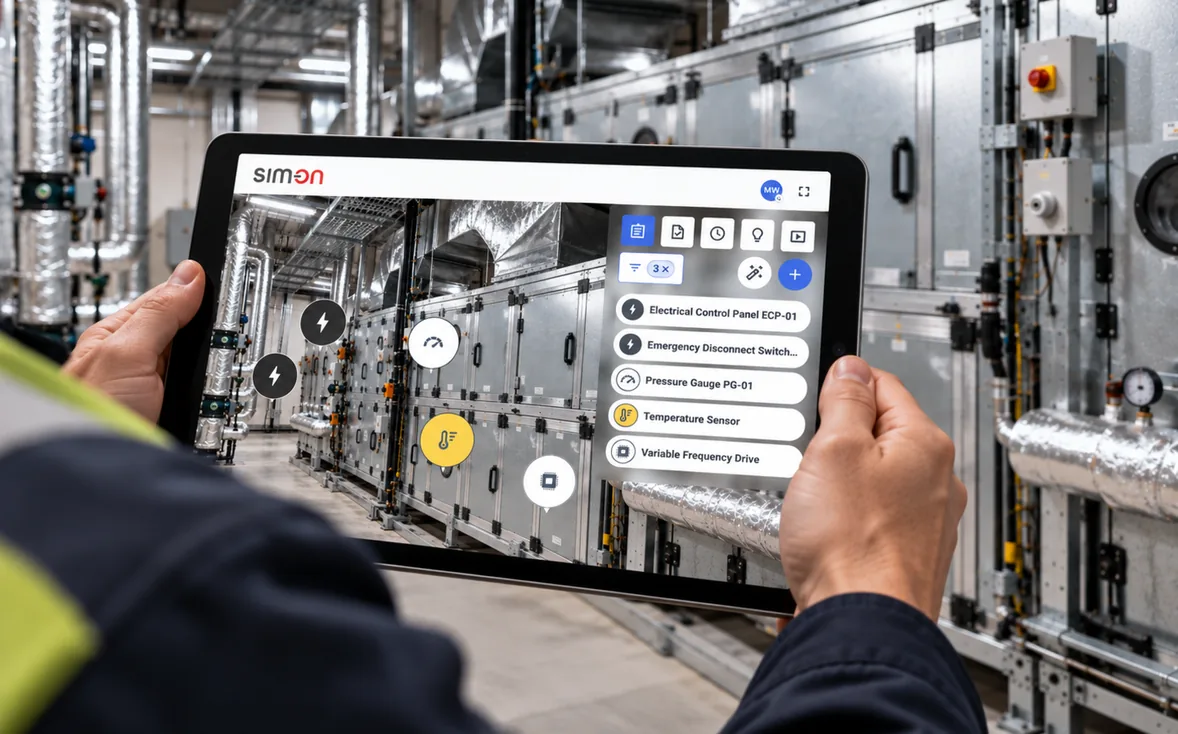
Asset records are harder to use without location context.
Facility teams need more than lists of assets. They need to know where assets are, what they connect to, what documents exist, and what actions are required.
Asset lists lack visual context
Registers and exports tell you what exists, but not where it stands, what surrounds it, or what it connects to.
Documentation is hard to locate
Manuals, drawings, and service records sit in folders and drives with no link to the equipment they describe.
Maintenance tasks are disconnected from space
Work orders reference room numbers and asset IDs, leaving technicians to reconstruct the physical context themselves.
Teams duplicate work or lose time searching
Without one shared spatial reference, people re-survey, re-photograph, and re-ask questions that were answered before.
Locate, understand, and act.
One continuous path from finding an asset in space to closing out the action it needs - without switching between disconnected systems.
- 01
Find the asset in space
Navigate the digital twin or search by name, tag, or category to land exactly where the asset stands in the building.
- 02
Open the asset record
See the asset's key details in place - type, identifiers, related systems, and its position in the facility.
- 03
View documents and history
Manuals, drawings, photos, notes, and past activity stay attached to the asset, right where the work happens.
- 04
Assign or review an action
Create a task, flag an issue, or review what has been requested - anchored to the exact location it concerns.
- 05
Track status
Follow open items through to completion so facility, maintenance, and contractor teams share one current picture.
SIM-ON ticket workflow demo - printer failure in a prototyping lab
LengthA printer failure ticket is raised on a phone in a 3D scan of a prototyping lab. On desktop, the printer's asset record is opened, a second stakeholder is added, the ticket is discussed and set to In progress, and a printer service event is added to the asset's event timeline.
Read what the video showsHide description
A panoramic view of a lab labelled "005 RAPID PROTOTYPING LAB" shows yellow cabinets, a benchtop unit and an asset list. A phone mock-up shows the same room with ticket tags such as "AC leaking". On the phone, a pin is placed on a printer and an "Add ticket" form is filled in with the name "Printer failure", a due date, a stakeholder, the description "Printer needed for tomorrow. Important!" and two photos. On the desktop, the view moves to the printer and its "3D Gence DOUBLE P255" asset record opens. "Printer failure" then appears in the desktop ticket list, and a second stakeholder is added to it. With the ticket marked "Open", a comment typed on the phone appears on the desktop, where a reply is typed. "In progress" is picked from the status menu, and a "Tickets" table lists five tickets, with "Printer failure" marked "In progress". Finally, an "Edit asset" panel adds a printer service event, which then appears in the "Event timeline".
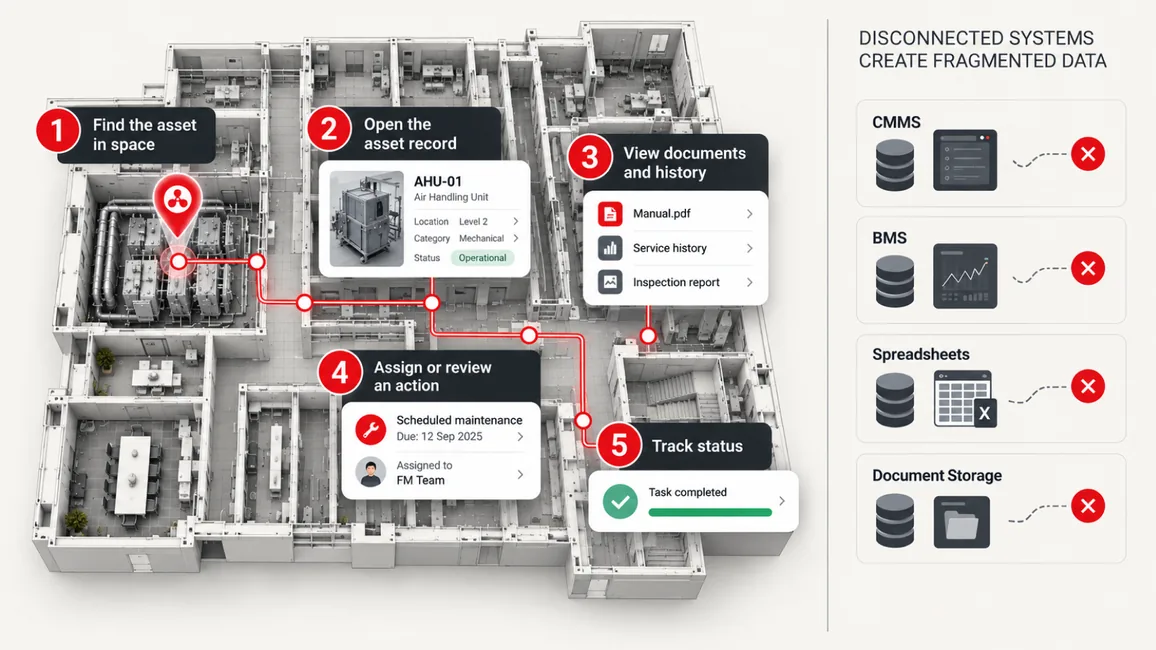
From locating an asset to tracking its open actions - one spatial context instead of four separate systems.
Facility management use cases.
Practical jobs to be done for facility, estates, and maintenance teams - organized around the buildings where the work actually happens.
Asset tagging
Tag equipment and infrastructure inside the twin so every asset has a precise spatial location.
Maintenance records
Keep service history and maintenance notes connected to the equipment they belong to.
Document access
Open manuals, drawings, and O&M files from the asset itself instead of hunting through drives.
Remote walkthroughs
Let vendors, engineers, and remote stakeholders review conditions without traveling to site.
Inspection preparation
Prepare with organized, spatially anchored records of assets and technical areas.
Portfolio standardization
Apply one documentation standard across buildings so every site is organized the same way.
Contractor coordination
Brief external teams with the spatial context, documents, and task history they need to start work.
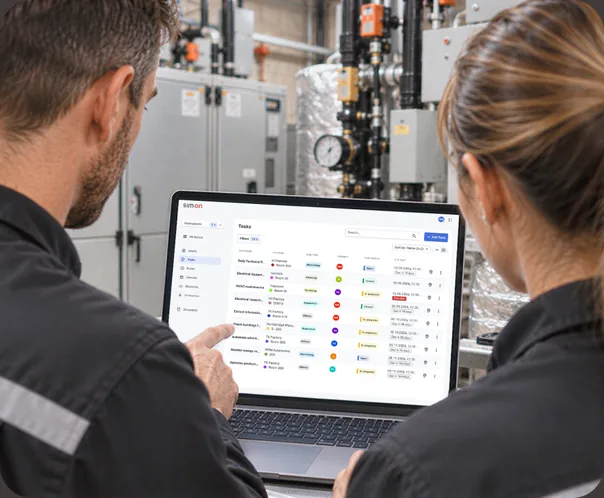
Powered through SIM-ON workflows.
SIM-ON is SIMLAB's spatial and operational layer for daily facility management - the environment where assets, documents, IoT readings, and everyday tasks come together inside the digital twin of your building.
- Asset records anchored to their real position in the building
- Documents, photos, and history available at the asset location
- Tasks and status visible where daily operations actually happen
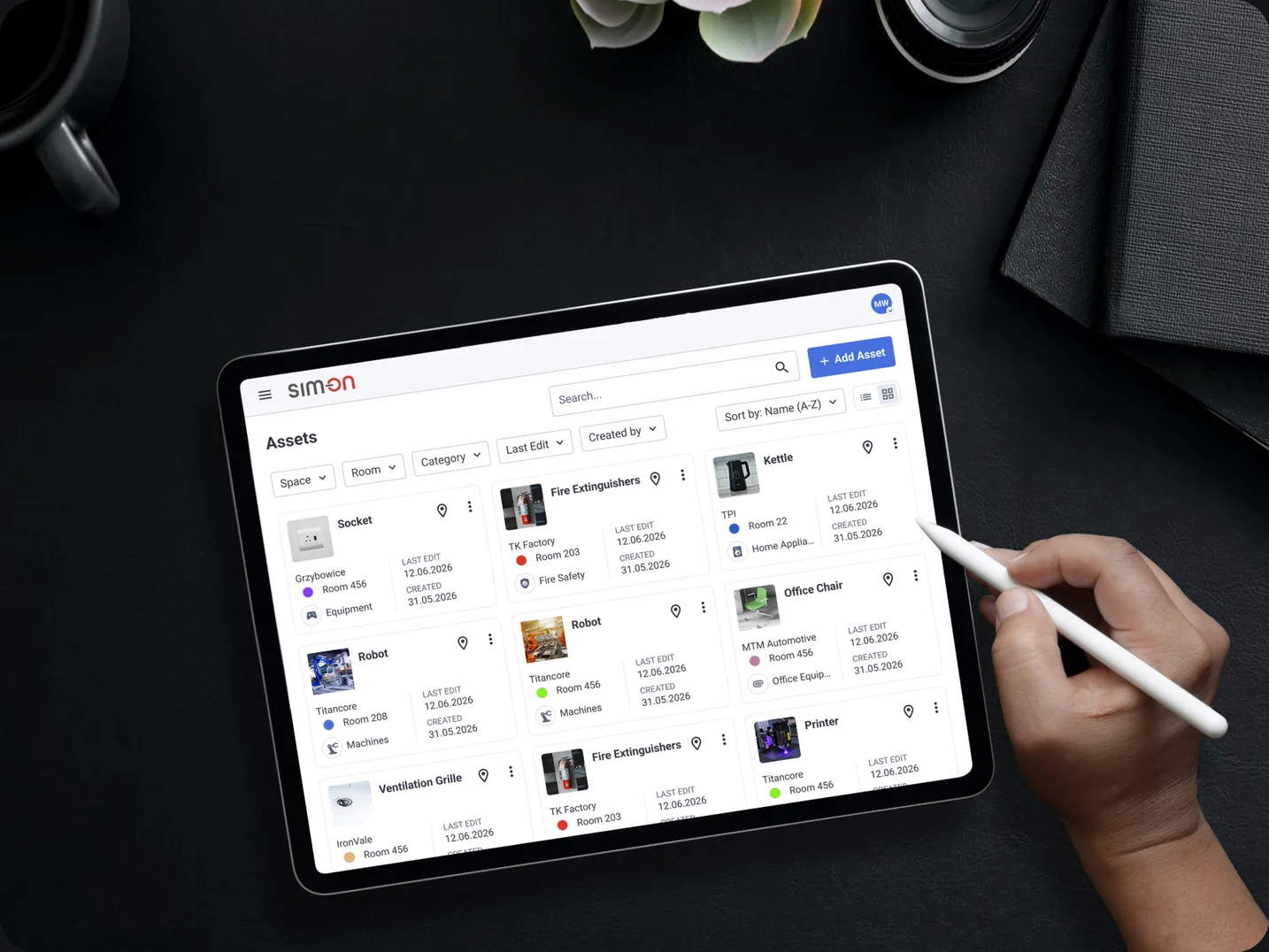
Useful across complex building environments.
Wherever assets, documentation, and maintenance teams outgrow spreadsheets, spatial context helps them work from one shared picture.
See how spatial asset management could work in your facility.
Tell us about your buildings, assets, and the systems your teams use today - we will walk you through how SIM-ON organizes them in spatial context.