
Put partner data into spatial building context.
SIMLAB can help technology partners make their data, systems, and workflows more understandable inside the physical environment.
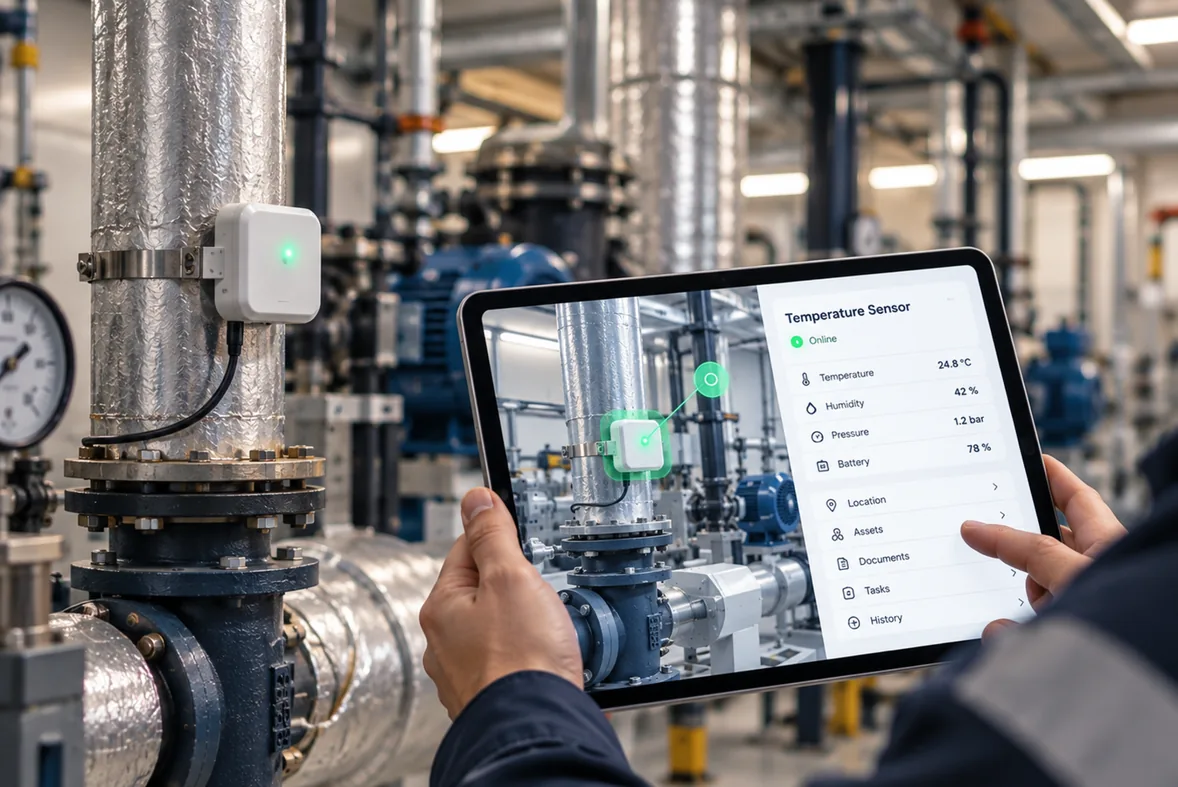
Make partner systems easier to understand inside real buildings.
Spatial context can help users interpret data, devices, documents, and workflows where they actually exist.
Data anchored to place
Readings, alerts, and events are easier to interpret when users see them at the exact location they come from, not as another row in a table.
Documents in context
Drawings, manuals, and records become more useful when they are linked to the rooms, floors, and assets they describe.
Workflows people can see
Tasks, tickets, and inspections gain clarity when teams navigate them visually inside the building instead of through lists alone.
From partner data to user workflow.
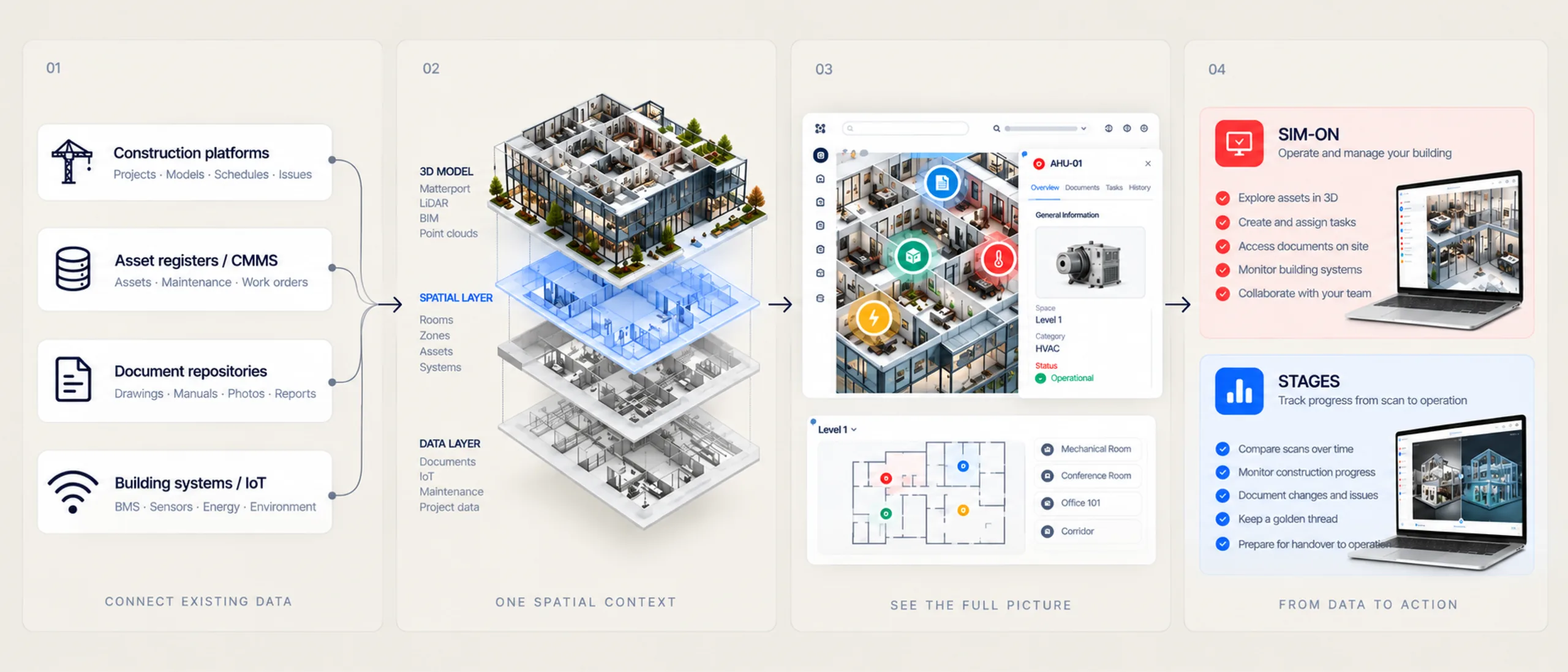
A simple path: your system stays authoritative, SIMLAB adds the spatial layer, and users get context they can act on.
Partner system or data
Your platform remains the system of record - devices, points, tickets, documents, or project data stay where they are.
SIMLAB spatial layer
SIMLAB maps that information onto an accurate spatial model of the building, down to floors, rooms, and individual assets.
Digital twin interface
Users open a photorealistic digital twin and see partner data exactly where it lives in the physical environment.
Operational workflow
Teams act on what they see - locating equipment, checking conditions, documenting work, and closing the loop in daily operations.
Technology partner use cases.
Where partner platforms and the SIMLAB spatial layer tend to reinforce each other in real deployments.
IoT data in spatial context
Sensor readings and device status can be shown at the spot where hardware is installed, so conditions are interpreted in place rather than in a dashboard detached from the building.
Building system visibility
BMS and building automation points gain a spatial front end - operators can see which zone, room, or unit a value belongs to before they act on it.
Construction platform context
Construction documentation and project timelines pair naturally with SIMLAB STAGES. Connections to platforms such as Procore can be supported where approved.
Asset system connection
CMMS and EAM records become easier to work with when every asset has a visual location. Connections to systems such as IBM Maximo can be supported where approved.
Joint client workflows
Shared customers get one spatial context across both products - fewer silos, clearer handoffs, and workflows that reference the same building model.
Approved ecosystem examples.
SIMLAB lists partner logos and integration claims only where a partnership is approved. Platforms such as Procore, IBM Maximo, Matterport, NavVis, Leica, and Faro can be supported where approved.

Logos shown are examples of the categories SIMLAB works with. Specific names appear here only after the partnership and the integration claim are approved by both sides.
A partnership built on shared context.
The value proposition is simple: your system plus spatial context is more useful than either one alone.
For your platform
A spatial layer that makes your data more understandable and more actionable inside real buildings, without rebuilding your product.
For shared customers
One building context across systems - less switching between tools, faster orientation, and information that matches what teams see on site.
For the partnership
A clearly scoped integration, honest joint claims, and co-developed workflows validated with real deployments before anything is promised publicly.
Discuss a technology partnership.
Tell us about your platform and the workflows your customers run. We will walk through what a scoped, approved integration could look like.